# 1. Install and load helper packages
install.packages("httr")
install.packages("jsonlite")

library(httr)
library(jsonlite)

# 2. Copy the `download` function from GitHub into your environment
source("https://raw.githubusercontent.com/GSK-Biostatistics/r_graphics_ggplot2_training/main/download_data.R")

# 3. Run the function to get your data
download_data(
  owner    = "GSK-Biostatistics",
  repo     = "r_graphics_ggplot2_training",
  path     = "data",
  dest_dir = "/path/to/your/folder" # <--- EDIT THIS PATH
)These materials have been written such that you should be able to follow along without the aid of an instructor.
1.1 Getting Started
To follow along with the exercises, you will need to download the course datasets and script to your local RStudio.
Tip
In the code below, change "/path/to/your/folder" to the actual location on your computer where you want to save your work (e.g., "~/ggplot2_Training").
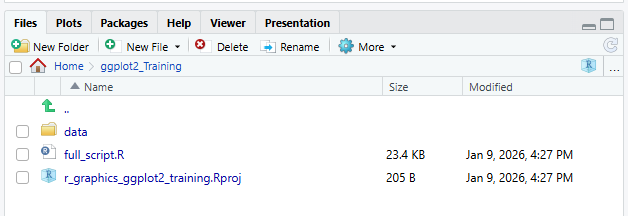
After running this code a new folder will be created called data in your chosen location. The folder will contain the data and course script. The script for this course is called full_script.R. This script contains a copy of all of the code from the grey boxes within these materials, as well as the answers to the exercises (note that these are commented out but should run if un-commented).
The new folder should look like this:
1.2 Initialising the Course ‘Project’
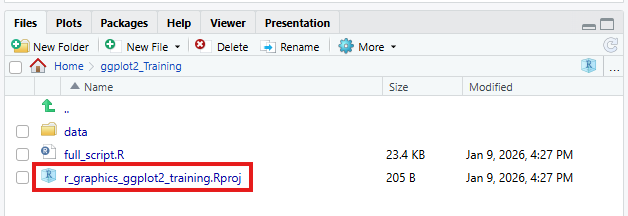
Now you have downloaded the materials, open the folder you created with the data saved in it and click on the RStudio project file (r_graphics_ggplot2_training.Rproj) to start a new project. This ensures all the relative paths work as expected. We will briefly discuss further benefits of RStudio Projects later in the course.